AuthView
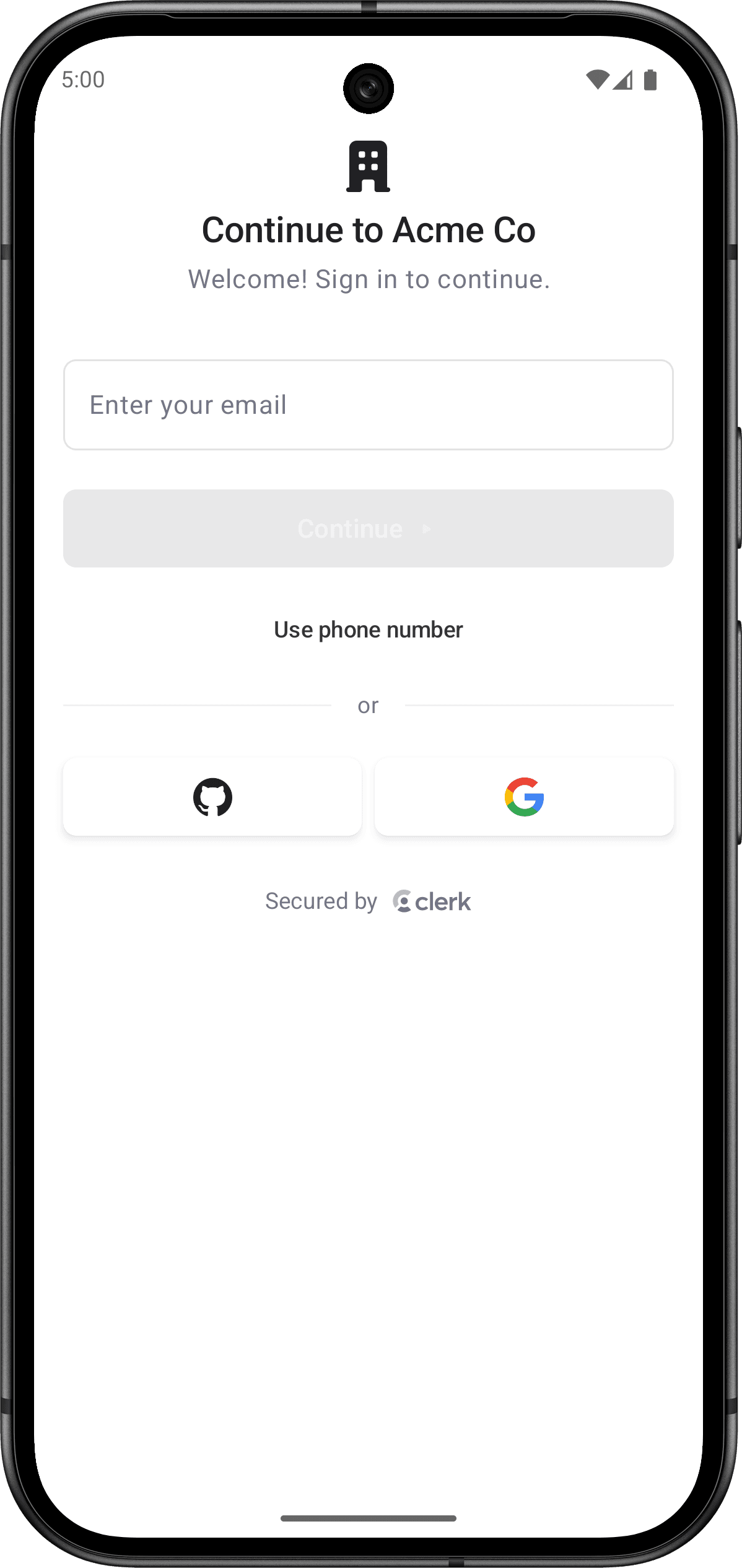
The AuthView renders a comprehensive authentication interface with support for multiple sign-up flows and sign-in methods, multi-factor authentication, password reset, and account recovery. The functionality of the AuthView is controlled by the instance settings you specify in the Clerk Dashboard, such as sign-in and sign-up options and social connections.
By default, the AuthView will automatically determine whether to sign users in or sign them up based on whether they already have an account. This is the default mode that provides seamless authentication without requiring users to choose between sign-in and sign-up.
Parameters
- Name
modifier- Type
Modifier- Description
A modifier that gets applied to the
AuthViewcomposable. This is by default applied to the top levelNavDisplayand shouldn't be used to change the appearance of theAuthViewitself.
The following example shows how to use the AuthView in your Android app.
Basic usage
import androidx.compose.foundation.layout.Box
import androidx.compose.foundation.layout.fillMaxSize
import androidx.compose.runtime.Composable
import androidx.compose.runtime.getValue
import androidx.compose.ui.Alignment
import androidx.compose.ui.Modifier
import androidx.lifecycle.compose.collectAsStateWithLifecycle
import com.clerk.api.Clerk
import com.clerk.ui.auth.AuthView
import com.clerk.ui.userbutton.UserButton

@Composable
fun HomeScreen() {
    val user by Clerk.userFlow.collectAsStateWithLifecycle()
    Box(modifier = Modifier.fillMaxSize(), contentAlignment = Alignment.Center) {
        if (user != null) {
            UserButton()
        } else {
            AuthView()
        }
    }
}
Customization
To learn how to customize Clerk views, see the dedicated guide.
If Clerk's prebuilt views don't meet your specific needs or if you require more control over the logic, you can rebuild the existing Clerk flows using the Clerk API. For more information, see the custom flow guides.
Feedback
Last updated on