OrganizationListView
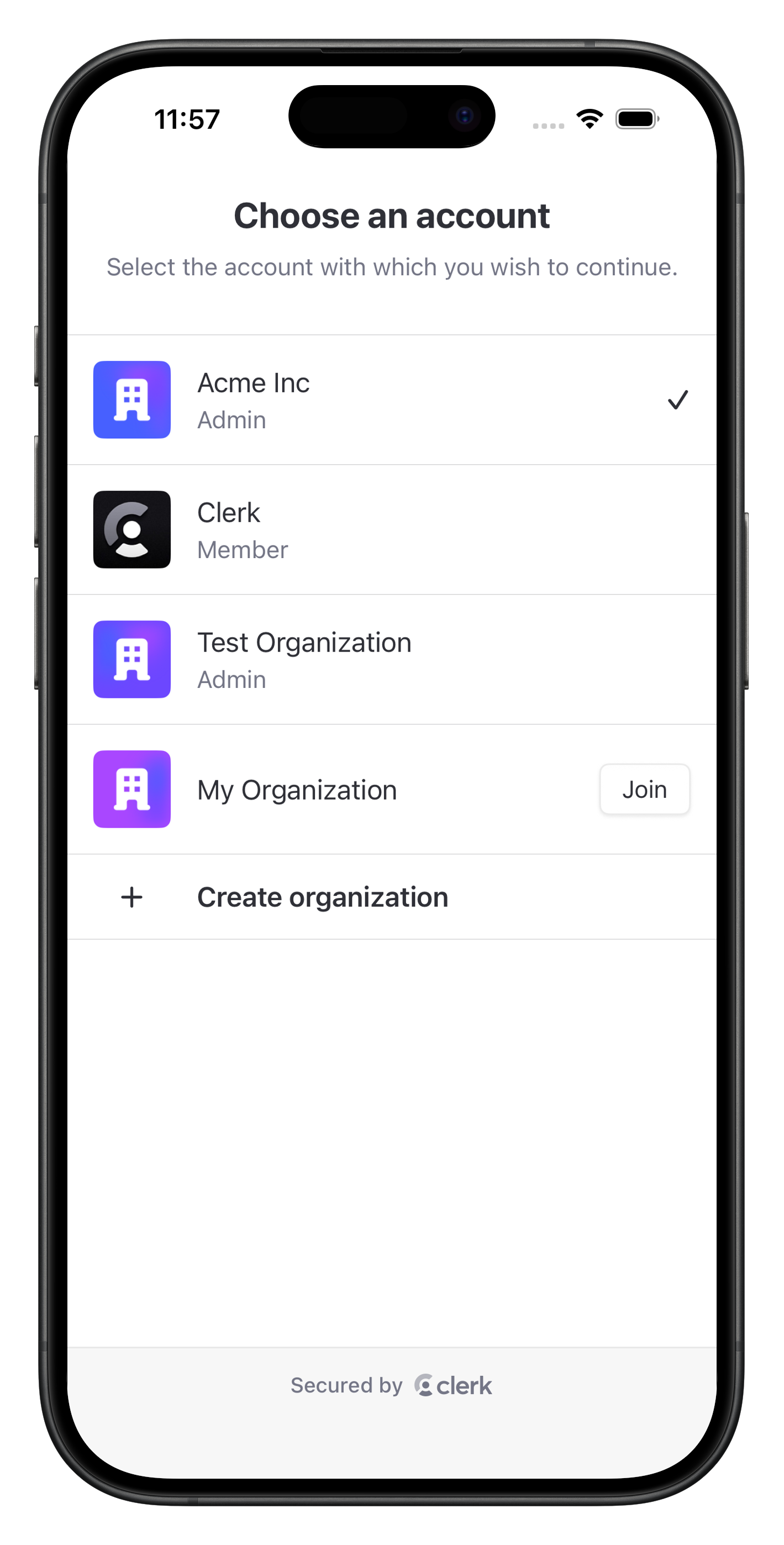
The OrganizationListView renders a standalone account picker for choosing between the user's and Organization accounts. It lists the Personal Account when allowed, Organization memberships, pending Organization invitations, suggested Organizations, and a Create organization action for users who can create Organizations.
Personal Account selection clears the . Organization selection sets the selected Organization as active.
Parameters
- Name
hidePersonal- Type
Bool- Description
Whether the option should be hidden even when the option is allowed. Defaults to
false.
- Name
isDismissible- Type
Bool- Description
Whether the view can be dismissed by the user. When
true, a dismiss button appears and the view closes automatically after account selection. Whenfalse, no dismiss button is shown. Defaults totrue.
- Name
navigationPath- Type
Binding<NavigationPath>?- Description
An optional parent navigation path for embedded usage. Pass a parent path when the view is hosted inside your own
NavigationStack.
- Name
skipInvitationScreen- Type
Bool- Description
Whether creating an Organization should skip the post-create invitation step. Defaults to
false.
Usage
The following examples show how to use the OrganizationListView in your app.
Fullscreen account picker
import ClerkKitUI
import SwiftUI

struct AccountPickerView: View {
  var body: some View {
    OrganizationListView(isDismissible: false)
  }
}import ClerkKitUI
import SwiftUI
struct AccountPickerButton: View {
@State private var accountPickerIsPresented = false
var body: some View {
Button("Switch account") {
accountPickerIsPresented = true
}
.sheet(isPresented: $accountPickerIsPresented) {
OrganizationListView()
}
}
}import ClerkKitUI
import SwiftUI
struct AccountPickerScreen: View {
@State private var path = NavigationPath()
var body: some View {
NavigationStack(path: $path) {
OrganizationListView(
isDismissible: false,
navigationPath: $path
)
}
}
}OrganizationListView(hidePersonal: true)Feedback
Last updated on