OrganizationProfileView
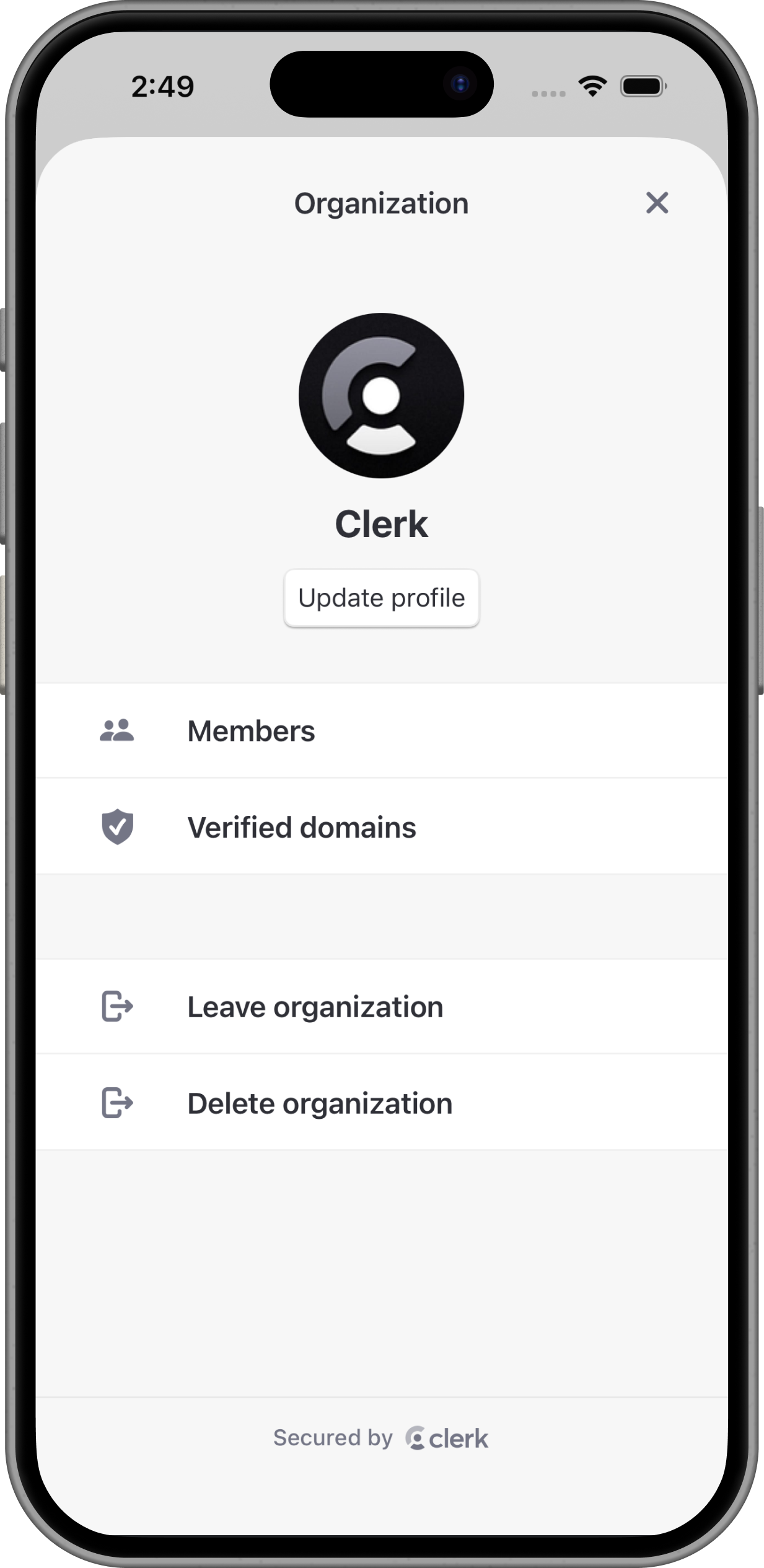
The OrganizationProfileView renders the management interface. It includes permission-gated Organization profile editing, member management, invitations, Membership Requests, Verified Domains, and flows for leaving or deleting the Organization.
OrganizationProfileView renders content only when a session has an . Rows and actions are shown according to the current user's Organization membership Permissions and the current environment settings.
Parameters
- Name
isDismissible- Type
Bool- Description
Whether the view can be dismissed by the user. When
true, a dismiss button appears in the navigation bar. Whenfalse, no dismiss button is shown. Defaults totrue.
- Name
navigationPath- Type
Binding<NavigationPath>?- Description
An optional parent navigation path for embedded usage. Pass a parent path when the view is hosted inside your own
NavigationStack.
Visible rows and Permissions
The profile view shows Organization controls based on the active membership's Permissions and instance settings:
- Update profile appears when the user has
canManageProfile. - Members appears when the user has
canReadMembershipsorcanManageMemberships. - Verified domains appears when Organization domains are enabled and the user has
canReadDomainsorcanManageDomains. - Leave Organization appears when there is an membership.
- Delete Organization appears when dashboard admin delete is enabled,
organization.adminDeleteEnabledistrue, and the user hascanDeleteOrganization.
Use OrganizationProfileCustomRow with .organizationProfileRows() to insert custom rows relative to built-in rows or sections. When OrganizationProfileView manages its own NavigationStack, use .organizationProfileDestination() to provide destination views for those custom routes.
Related types:
OrganizationProfileCustomRowOrganizationProfileRowIconOrganizationProfileCustomRowPlacementOrganizationProfileRowOrganizationProfileSection
Usage
The following examples show how to use the OrganizationProfileView in your app.
Fullscreen Organization profile
import ClerkKitUI
import SwiftUI

struct OrganizationSettingsScreen: View {
  var body: some View {
    OrganizationProfileView(isDismissible: false)
  }
}import ClerkKitUI
import SwiftUI
struct OrganizationSettingsButton: View {
@State private var profileIsPresented = false
var body: some View {
Button("Organization settings") {
profileIsPresented = true
}
.sheet(isPresented: $profileIsPresented) {
OrganizationProfileView()
}
}
}import ClerkKitUI
import SwiftUI
struct OrganizationSettingsScreen: View {
@State private var path = NavigationPath()
var body: some View {
NavigationStack(path: $path) {
OrganizationProfileView(
isDismissible: false,
navigationPath: $path
)
}
}
}import ClerkKitUI
import SwiftUI
enum OrganizationRoute: Hashable {
case settings
case support
}
OrganizationProfileView()
.organizationProfileRows([
.init(
route: .settings,
title: "Settings",
icon: .system(name: "gear"),
placement: .after(.members)
),
.init(
route: .support,
title: "Support",
icon: .system(name: "questionmark.circle"),
placement: .sectionEnd(.actions)
),
])
.organizationProfileDestination { (route: OrganizationRoute) in
switch route {
case .settings:
// Replace this placeholder with the custom view for your Settings row.
OrganizationSettingsContent()
case .support:
// Replace this placeholder with the custom view for your Support row.
OrganizationSupportContent()
}
}Feedback
Last updated on