OrganizationSwitcher
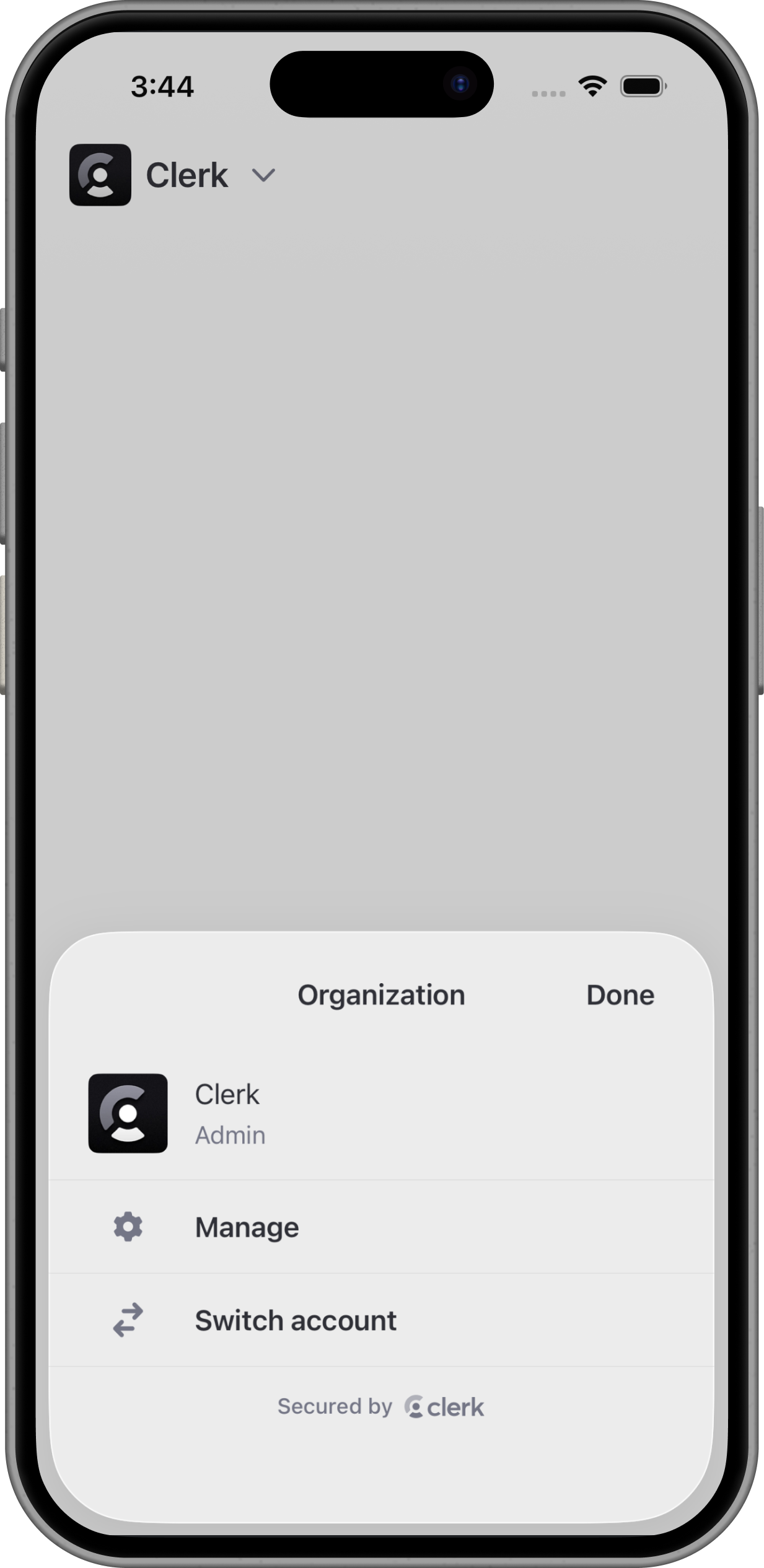
The OrganizationSwitcher renders an account switcher interface that lets signed-in users switch between their Personal and Organization accounts. It displays the , or the user's when no Organization is selected, and provides built-in native controls for managing the Active Organization, switching accounts, accepting Organization invitations and suggestions, and creating an Organization when permitted.
OrganizationSwitcher only renders when a user is signed in and Organizations are enabled for the instance. When Organization selection is required, the Personal Account option is hidden automatically.
OrganizationSwitcher renders the Organization or account trigger only. Render UserButton separately when your layout also needs a profile control.
- Name
displayMode- Type
OrganizationSwitcherDisplayMode- Description
Controls the trigger style. Defaults to
.normal.The supported values are:
.normal.compact.normal(size:).compact(size:)
.normalshows the active account avatar, account name, and disclosure chevron..compactshows only the avatar-sized account trigger. The default base avatar size is36points.
- Name
hidePersonal- Type
Bool- Description
Whether the option should be hidden even when the option is allowed. Defaults to
false.
- Name
label- Type
() -> LabelContent- Description
Custom content shown inside the switcher button.
- Name
skipInvitationScreen- Type
Bool- Description
Whether creating an Organization should skip the post-create invitation step. Defaults to
false.
import ClerkKit
import ClerkKitUI
import SwiftUI

struct HomeView: View {
  @Environment(Clerk.self) private var clerk

  var body: some View {
    if clerk.user != nil {
      HStack(spacing: 16) {
        OrganizationSwitcher()
        UserButton()
      }
    } else {
      AuthView()
    }
  }
}OrganizationSwitcher(
hidePersonal: false,
displayMode: .compact(size: 40)
)Custom switcher label
The following example demonstrates how to render a custom switcher label.
import ClerkKitUI
import SwiftUI

OrganizationSwitcher {
  Text("Switch account")
}Custom rows are shown in the switcher's default OrganizationProfileView only when you provide both .organizationProfileRows() and .organizationProfileDestination().
import ClerkKitUI
import SwiftUI

enum OrganizationRoute: Hashable {
  case settings
}

OrganizationSwitcher()
  .organizationProfileRows([
    .init(
      route: .settings,
      title: "Settings",
      icon: .system(name: "gear"),
      placement: .after(.members)
    ),
  ])
  .organizationProfileDestination { (route: OrganizationRoute) in
    switch route {
    case .settings:
      // Replace this placeholder with the custom view for your Settings row.
      OrganizationSettingsContent()
    }
  }
Feedback
Last updated on